Friday, March 30, 2012

iGO primo app

iGO My way for iPhone
Your complete 3D navigation for iPhone
Powered by the same experienced iGO Engine used in millions of navigation devices around the world: now faster & more reliable than ever before, with a set of new features for even more intelligent navigation.

Main Features
Google local search
Green routing
Extras through in-app purchase
Free traffic (only in Western European countries)
Navigation to coordinates
TTS Pro (advanced speech)
Realistic, 3D Junctions

Detailed features
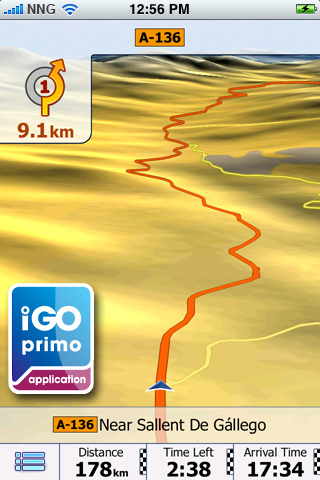
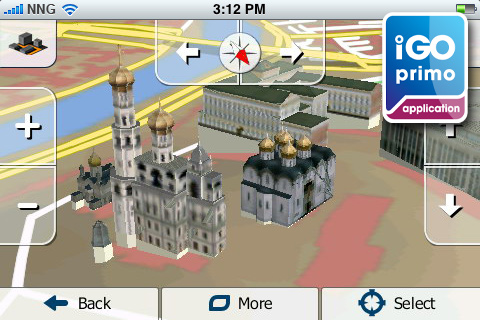
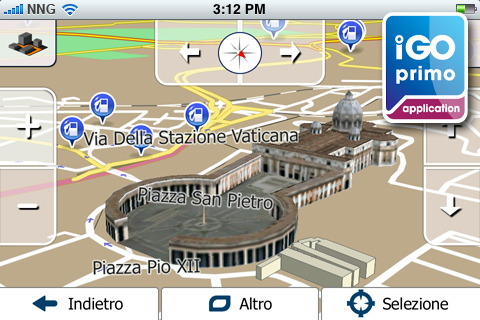
Stunning 3D visualization
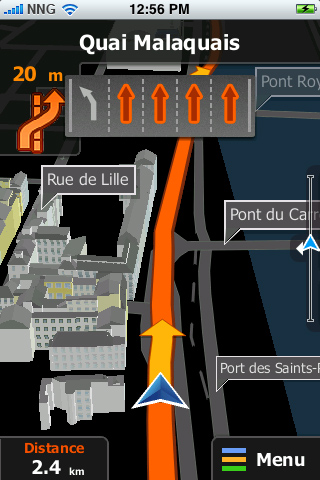
iGO primo app offers stunning 3D visualization. Complex junctions are displayed in 3D to provide a rapid understanding of your next maneuver while true-to-life 3D models of famous landmarks and display of the terrain around you - such as valleys, hills and mountains.

 TTS Pro
The Text-to-Speech (TTS) feature allows pronouncing city, street and highway names as part of the guidance instructions. The new TTS Pro reads out not only standard voice commands, but also traffic events, a summary of the planned route and relevant country info after crossing a border. Text-to-Speech is available in the following languages: English, French, German, Italian, Spanish, Portuguese, Russian. Note: The languages mentioned above vary in the applicable packagages.

 Google local search
Find businesses or anything else you need around your position

 In-app purchase for extras
Country maps, safety cameras, Rich POIs (Explorer’s package), Live Traffic: Save time by using the alternative routes generated automatically by your navigation software following the up-to-date traffic information available for your present route.

 Free Live Traffic
Our Europe, Western Europe, Italy, France, Scandinavia, Benelux, Brazil, North America lite, North America, Russia and DACH applications come now with FREE LIVE TRAFFIC information! Save time by using the alternative routes generated automatically by your navigation software following the up-to-date traffic information available for your present route!

 Realistic Junction View
Realistic images of motorway junctions for easier orientation.

 Sophisticated route calculation
iGO primo app calculates not only fast, short, and easy-to-follow routes, but also green ones. The green routing option is new, choose this one for lower fuel consumption and CO2 emission.

 POI search along the route

 Multiple Destination Entry
Navigate to: iPhone contacts, GPS-coordinates, pictures

 Customizable quick menu

 Customizable vehicle profile

 Send a question to Customer Support

 Optimized in-car use
Extra large buttons, simple icons, and a truly intuitive interface with streamlined workflow ensure optimized in-car use and maximum attention to the road.

 Precise voice guidance in numerous language
iGO primo app supports numerous languages. Please check out the description of the individual packages for the list of the languages included.

 QWERTY keyboard
Use the QWERTY keyboard layout with extra large keys in landscape mode to enter an address.

 Supporting multi-point routes
You can now add one intermediate destination to your route. This feature was introduced in version 1.1.

 Calling POIs (Places)
If you find a Point of Interest (POI) that has a phone number, you can call it immediately from the navigation application.

 Quickstart function
No need to remember road names and house numbers. Save an unlimited number of favorites for a quickstart.

 Smart history
The smart history 'learns' the user's behavior and habits, and offers a ranked list with the most likely destinations based on the current GPS position, previous routes, day of the week, and time of day.

 Where am I? - emergency function
Find help in emergency situations! Based on the current GPS position this function diplays nearby assistance, such as police stations, break-down services, ATMs, etc.

 Millions of POIs
Select from millions of Points of Interest along your route or at your destination, and you can easily find nearby hotels, restaurants, ATMs, gas stations, etc.

 Multi-touch screen
You can zoom the map in and out with two fingers - in iPhone style - but for quicker control one-touch operation is also supported.

 Smart Keyboard
The Smart Keyboard speeds up the address entry by completing the most likely city and street names.

 Explore the map
You can freely browse and explore the map in both 2D and 3D mode: zoom, drag, tilt, rotate, and select any point on the map as destination.

 Auto orientation
To make navigation on iPhone really handy, the application selects automatically between portrait and landscape format.

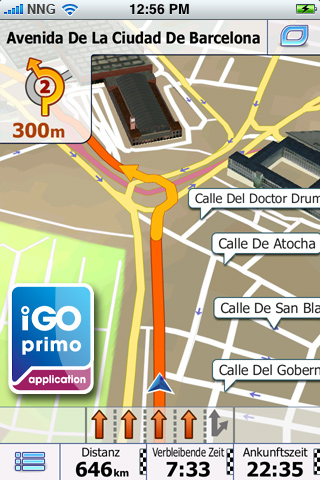
 Lane assistance and realistic signposts
iGO primo app makes navigation easy even in complex situations. Country-specific lane guidance and signposts give you even more realistic help in choosing the right lane well before the upcoming maneuvres.

 Day and Night mode
With changing light conditions when driving into tunnels or at dawn, iGO primo app switches between Day and Night mode.

 Vehimarkers
With iGO primo app, users can select different images for their position markers, so the traditional arrow can be changed to a variety of realistic 3D symbols, including pedestrian, bicycle and numerous car models.

 Navigation resumes after incoming call
Following an incoming call during navigation, iGO primo app simply resumes guidance without any user interaction.

How does it work?

Upgrade to the brand new iGO primo app now!*
Easy to learn – this app is ideal even for people who have never tried GPS navigation before. The maps are part of the application**, for navigation you don’t need cellular network coverage. NO ROAMING FEES, no surprises.

Getting there – easier and faster
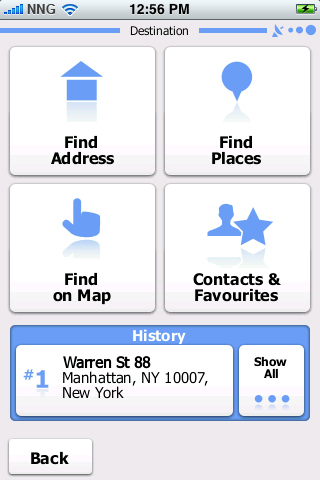
Select your destination — either by searching for an address, a place of interest, or by picking a spot on the map. Our Smart keyboard and Smart search make it easy. Our Adaptive Search Results technology actually learns from your use of the application and tailors search results accordingly.

iGO primo app calculates the route to your chosen destination and displays a map overview along with the most important information, such as journey distance and estimated travel time. Just tap Go! and iGO primo app guides you to your destination with clear voice guidance and a smoothly moving 3D map. Lane assistance and signposts are now country-specific and therefore even more realistic to help you find your way no matter where you go.

Apart from fast, short and easy-to-follow route variants, you can now also use our new Green routing option, for lower fuel consumption and CO2 emission. The route variants are calculated and displayed simultaneously, so you can compare the alternatives visually on the map and pick the one that suits your needs best. You can avoid freeways, ferries, unpaved roads, and toll roads, and the new Avoidances option lets you bypass any road section of the itinerary. You don’t have to worry even if you miss a turn: iGO primo app instantly re-calculates the route.

Installation and setup
Please note that since iPod touch and iPad do not have built-in GPS-receivers, an external GPS-receiver is required. Compatible are only those which are officially supported by Apple. Due to the size of the package, we recommend purchasing and downloading the application via iTunes.

Note: Continuous use of GPS running in the background can dramatically decrease battery life. Background navigation has to be turned on – you can do this under Settings / Advanced settings.

* This update is not available for iPhone 3G devices.
** NNG will make the latest maps available as part of the free software updates, depending on availability. Conditions apply.


Screenshots

iGO primo app for iPhone


iGO primo app for iPhone


iGO primo app for iPhone


iGO primo app for iPhone


iGO primo app for iPhone


iGO primo app for iPhone


iGO primo app for iPhone


iGO primo app for iPhone


iGO primo app for iPhone


iGO primo app for iPhone


iGO primo app for iPhone


iGO primo app for iPhone


iGO primo app for iPhone


iGO primo app for iPhone


iGO primo app for iPhone


iGO primo app for iPhone


iGO primo app for iPhone


iGO primo app for iPhone


iGO primo app for iPhone


Videos

iGO primo app - Your journey starts here


iGO primo app for iPhone sneak peek


Navigate with iGO My way for iPhone


iGO My way for iPhone


iGO primo app all regions

North America Edition
USA + Canada in 4 languages.
Europe Edition
40 European countries in 29 languages.
Western Europe Edition
22 Western European countries in 13 languages.
Eastern Europe Edition
20 Eastern European countries in 17 languages.
Eastern Europe Region Edition
6 Eastern European countries in 17 languages.
UK and Ireland Edition
UK and Ireland in 13 languages.
Scandinavia Edition
4 Scandinavian countries in 9 languages.
France Edition
France in 7 languages
Italy Edition
Italy in 5 languages
Benelux Edition
Benelux in 13 languages.
DACH Edition
DACH in 13 languages.
Iberia Edition
Iberia in 13 languages.
Czech Republic and Slovakia
Czech Republic and Slovakia in 17 languages
Hungary and Romania Edition
Hungary and Romania in 17 languages.
Southern Africa Edition
6 African countries
India Edition
India in 7 languages
Russia Edition
Russia in 17 languages.
Israel Edition
Israel in 29 languages.
Middle East Edition
7 countries of Middle East in 6 languages.
Costa Rica Edition
Costa Rica in 5 language.
Chile Edition
Chile in 7 languages.
Colombia Edition
Colombia in 7 languages.
Argentina Edition
Argentina in 7 languages.
Brazil Edition
Brazil in 7 languages.
Australia and New Zealand Edition
Australia + New Zealand in 11 languages.
Turkey Edition
Turkey in 19 languages.

Download


Keywords: GPS Maps, GPS Software, Tutorial, Tutorials, Video Tutorials, Download, Downloads, video,NEWS,iGO primo app,iPhone.


Evince

Download Evince

What is Evince?
Evince is a document viewer for multiple document formats. The goal of evince is to replace the multiple document viewers that exist on the GNOME Desktop with a single simple application.

Supported Document Formats
Evince is specifically designed to support the file following formats:

•PDF
•Postscript
•djvu
•tiff
•dvi
•XPS
•SyncTex support with gedit
•comics books (cbr,cbz,cb7 and cbt)

Features
•Search
   ◦Integrated search displaying the number of results found and highlights the results on the page.
•Page Thumbnails
   ◦Thumbnails of pages show quick reference for where you'd like to go in a document.
•Document Indexes
   ◦When index information is included in a PDF Evince will display it in a tree format.
•Document Printing
   ◦Using the GNOME/GTK printing framework Evince can print any document it can open
•Encrypted Document Viewing
   ◦Evince can open PDF documents that have been encrypted
•Accessible
   ◦Evince implements ATK interface, so it's accessible. To know how to use or how it's implemented

Evince


Keywords: Pdf Viewer,Document Viewer, Freeware Software, Free Software, Download, Downloads.

.

Tuesday, March 27, 2012

Feedreader

Download Feedreader (Installer)
Download Feedreader Portable Zip

Read This Tutorial
Feedreader from usb flash memory

What is Feedreader?
Feedreader is a FREE RSS news aggregation solution that provides robust,
state-of-the-art features in an intuitive, user-friendly environment.

What makes Feedreader stand out from the crowd?
Unparalleled functionality
Feedreader offers advanced, cutting-edge capabilities, including the most comprehensive podcasting support available today, as well as unique smartfeed technology that puts the information you need right at your fingertips.

Powerful, yet simple
Feedreader provides users with a seamless and convenient experience - without the need for advanced technical knowledge - by delivering the broadest range of features through a simple, easy-to-use interface.

Feedreader,RSS,Atom

Feedreader,RSS,Atom

Feedreader,RSS,Atom

Feedreader,RSS,Atom

Feedreader,RSS,Atom,Feed,Reader

Feedreader,RSS,Atom

Feedreader,RSS,Atom

Feedreader,RSS,Atom

Feedreader,RSS,Atom


Keywords: Feed Reader, Feed Software, RSS,Atom,Feed,Reader, NEWS Reader, Free Software, Freeware Software, Download, Downloads,Aggregator,News aggregator,Podcast.


Monday, March 26, 2012

Nero BackItUp


Download Nero BackItUp

Nero LIVEBackup
24-7 Peace-of-mind backup.
Take the hassles out of backing up with one-click Nero LIVEBackup for all your digital files and even the entire system. You can still choose manual backup, but only Nero LIVEBackup gives you one-click continuous peace of mind anytime, all the time.
Restore whole system
Crashes are no match for advanced restore and recovery.
The shock of a Windows system crash is no match for the advanced features of Nero BackItUp 11. Create bootable drive backups to restore crashed or damaged Windows operating system partition or any other partition without running Windows with the Nero ImageTool.
Network Attached Storage (NAS) auto detection
Auto-target where you want to back up.
With NAS Auto Detection, you never need to configure your Network Attached Storage (NAS) device manually or map to these devices from your PC. Nero BackItUp automatically searches through the network for NAS devices and lists them automatically for File backup, Drive Backup and Nero LIVEBackup.
Recover damaged or deleted files
Disaster recovery in a few clicks.
Never fear a system crash or virus attack again. Once your files are backed up with Nero BackItUp, even accidently deleted files can be recovered and restored in just a few clicks, all without having to re-install the entire operating system. An additional layer of protection is provided with Nero RescueAgent, which helps restore music and video files from hard drives, CDs, DVDs, and flash drives in just a few steps.
Synchronization
Bi-directional syncing for backups on-the-go.
Fully control the syncing of multiple folders by using the Nero SyncTool without the need for installing the entire Nero BackItUp application. The easy, no-hassle features will support any amount of data and lets you create secure portable synced backups for travel.
AES-NI Backup compression
Security with all the bells and whistles.
World class security should be the standard for backing up your digital media. That’s why Advanced Encryption Standard (AES) New Instructions (AES-NI) 256bit secure, world class encryption security built into Nero BackItUp 11 ensures your data's security.
Category Backup
Back up categories from the Nero Kwik Media library.
Get selective with your backups. Pick and choose categories such as photos, videos or music from the Nero Kwik Media library to back up and even make these files easily available again to access later.
Incremental drive backups
Save time and space when you back up.
In addition to the common backup methods such as full, differential or update backups, you can save space with the option to perform incremental backups to reduce the required space and backup time. Make the most out of your cloud storage space by saving only those files that have changed since the last backup.


Nero BackItUp

Nero BackItUp

Nero BackItUp

Nero BackItUp

Nero BackItUp

Nero BackItUp

Nero BackItUp

Nero BackItUp


Keywords: Backup Software, Backup, Backup Data Software, Sistem Software, Free to try software, Data Recovery Software, Recover Music, Recover Pictures, Recover Video, Recovery data software, Recovery data tools.


SugarSync

Sync files across multiple computers and devices
Automatically sync files across computers. Sync PCs, sync Macs, even sync PCs with Macs!
Works the way you do
With SugarSync, you decide which folders you want to sync and where you want to sync them.
SugarSync works in the background so your most important data is always backed up and available to you — regardless of your location or the computer you are using. You can start editing a file on your office PC and finish it on your Mac at home.
Sync to the cloud for offline file access
SugarSync continuously syncs and backs up files from your computer to your secure Personal Cloud.
You can edit files on your computer while it is offline and SugarSync automatically syncs the changes the next time your computer is online. You can relax with the confidence that you are always using the most recent versions of your documents.
Sync shared folders for seamless online file sharing
Now when you collaborate with other people, your changes can be synced between your computer and theirs. When teams share project folders, changes made by one team member are automatically synced to others on he team. You can share entire folders of photos with family members, or share documents and files with your clients. Imagine the possibilities!


Continuous automatic file backup
SugarSync's online backup service works quietly in the background without interfering with your productivity.
Restore all your data
Your computers may come and go, but your photos, videos, and movies cannot be replaced. SugarSync keeps all your personal data safe from computer crashes. It's simple to restore your files and folders to a new computer.
File version control and recovery
Easily view and restore previous versions of your files. SugarSync keeps the previous five versions of all your document in case you need to reference or recover them in the future. Only the most recent version of each of your files counts towards your storage limit.
Web file archive
SugarSync's Web Archive is a simple way to take advantage of cloud storage. The Web Archive is a location for backing up and storing files online with no syncing or updates. Everything you store in SugarSync's Web Archive is accessible from the web and your mobile devices.


Browse, access, backup and sync — all from your mobile device
Check out our all-new iPad app!
See why we're better than Dropbox & Box

With the SugarSync Mobile App, you have access to all of your data, right from your smartphone or tablet. Looking for mobile storage, mobile syncing, and mobile backup? With the SugarSync app installed on your mobile device, you can access files from any of your computers, share photos with friends and family, upload files and photos from your mobile device to your computer (without wires!), even edit documents, depending on the capabilities of your device. You can send files of any size remotely from your mobile phone or tablet, even if your computers are turned off. With Mobile Apps for Android and Apple iOS, you can even sync files or folders between your device and your computers. It's like having all your computers inside your device!

SugarSync has mobile apps for iPad, iPhone, iPod touch, Android, BlackBerry, Windows Mobile, and Symbian devices.
More about our mobile apps

    iPad App
    iPhone, iPod touch App
    Android App
    BlackBerry App
    Windows Mobile App
    Symbian App


Your files are our top priority
SugarSync provides data security you can count on.
We use industry best practices to ensure that your data is safe and secure. Your files are transferred securely using TLS (Transport Layer Security) and are stored in the cloud in an encrypted format using 128-bit AES—the same level of protection used for online financial transactions.
Data protection
SugarSync offers easy online data protection and data recovery. You have peace of mind knowing that your online backup is always up to date and your files are 100% secure. Restore just one file, or all your backed up data, with ease.
Secure file uploading and downloading
Relax with secure file uploading and downloading. For maximum security, when you sync files to SugarSync's servers, your files are sent over the Internet using TLS (SSL 3.3) encryption, the industry standard for secure web communications. This means that your computer and our server go through a "handshake process" — every piece of information moved between them is verified as a secure communication, whether data is being uploaded or downloaded. When you access your files from any computer or mobile phone, the same rigorous standards are applied: all data is encrypted before leaving SugarSync servers.
Safely share files with others
Share password-protected folders with clients or coworkers. SugarSync provides several options when sharing folders including the ability to allow changes or not. Set a password for a shared folder when information is sensitive or confidential to ensure the information is not passed along to others inadvertently.


Backup your photos and music. Enjoy anywhere. Share anytime.
SugarSync is the perfect solution for backing up all your music, photos, and video.Cloud storage for your music and photo collection means it's securely backed up and accessible anytime, from any computer or device.
Share photo albums online
Easily share photos or albums with family, friends and colleagues. Share one photo or an entire photo album with just a few clicks. Your friends and family get instant access to high-resolution photos, no sign up required.
Publish photos to Facebook
Now you can share your photos even faster by publishing directly to Facebook. Publishing to Facebook just got a lot easier. Simply choose the photo album or the individual photo you'd like to share and publish directly to Facebook.
Easily upload mobile photos to your computers
SugarSync provides wireless mobile backup of photos you take using your mobile device. The instant you take a picture on your iPhone, Android, or BlackBerry device, you can upload the photo and access it from any of your computers—PC or Mac. No more fumbling with cables and no need to email pictures to yourself just so you can have a copy on your computer.
Stream music to your mobile phone
SugarSync streams your music directly to your iPhone, Android, or BlackBerry. No more waiting for your download to complete — your song starts playing as soon as you make your selection. For iPhone and Android devices, you can sync your music to your phone so you can listen even when you're offline.
Backup and share videos
SugarSync handles large video files with ease. With SugarSync, you can share video files by sending a link to the file by email — not as a large attachment. When your recipient clicks the link, the file downloads directly to their computer without clogging up anyone's mail.


Access files and folders from anywhere
Get remote access to your files, photos, and media from anywhere. Just log in to the SugarSync website from any computer to access your important folders and files. With SugarSync's mobile app on your device, you can view, share, and access your data on the go.
Access files from all your computers online
Access your files from any browser. SugarSync automatically organizes all the data in your Personal Cloud into a secure personal website that you can access anywhere you have an Internet connection. Edit, send, or share your files from anywhere.
Edit files remotely
With SugarSync your changes sync back to your computer automatically. Forget to leave your computer on? No worries! You have full access to all of your synced files even when your computers are offline, so you can edit your files from anywhere. The next time your computer connects to the Internet, all the changes you made in your SugarSync website sync back to the cloud and to your other devices automatically.
Share from anywhere
Share files while you're on-the-go. Don't be caught in an airport or taxi without the ability to send that important file to your boss. With SugarSync, you have remote access to multiple computers and can instantly access and share all of your computer files. Send any file, no matter how large, right from your iPhone, iPad, Android, BlackBerry, Symbian, or Windows Mobile device in a matter of seconds — no scrambling for a Wi-Fi hotspot. And no worries about size limitations since — any files you have backed up with SugarSync, big or small, are instantly available for you to share.


Share files and folders anytime, anywhere
SugarSync provides data security you can count on.
SugarSync makes sharing a breeze. Whether you are sharing one file, or an entire folder with hundreds of files, a few clicks is all it takes.
SugarSync for Outlook NEW
Send convenient links instead of attachments in Microsoft Outlook! You'll save email storage and avoid bounced emails. SugarSync will track the number of downloads and give you full control to disable links at any time. Learn more
Share public links
Sharing large files just got easier. Generate a public link for any file and share it on Facebook, Twitter, email, IM, or on your blog. When recipients click the link, they will be able to download the most recent version of the file — no registration required. Send public links from your desktop, from the web, or from your smartphone or tablet.
Collaborate with shared folders
SugarSync keeps all your shared files up-to-date and in sync for powerful collaboration with your virtual team. With folder sharing, you can collaborate on projects by giving a person, or a group of people, access to a shared folder on your computer. No more wasting time emailing individual files and tracking the latest versions. Just send an email invitation to your clients, coworkers, or family members to join your folder.
Sync folders of information across teams
Folder members can sync a shared folder directly to their own computers. Any member of a shared folder can have their own copy of the folder on their own computer. Folder members can edit files locally. Updates are reflected for everyone as soon as the file is saved.
Apply folder permissions and password protection
SugarSync gives you flexibility and security when sharing information. You can give permission for others to edit files so that your team can collaborate on a project. Or, you can share a folder as "read-only" so recipients can view the files, but cannot make changes. For additional security, SugarSync also offers the option to require a password for any shared folder.

SugarSync Website

SugarSync Website


SugarSync Log in


Keywords: Send Big Files, Send Large Email Free, Send Large Files, Share Big Files, Transfer Any Type of File, Transfer Big Files, Transfer Files, Transfer Files Free, Transfer Large Files, Tutorial, Tutorials, Website,Free Online File Storage,Backup


Saturday, March 24, 2012

ADrive


Basic Features

50GB of Online Cloud Storage, for FREE
Our Personal plan provides users with 50GB of FREE online file storage and additional features to backup, share, edit and access your data from anywhere you have Internet access. Simply store your files in your ADrive account & access from any device, at any time.

 Anytime Access to Your Data, Wherever You Are
Conveniently access your ADrive files at any time, from wherever you are. Simply log in to your ADrive account through any device to store, share or edit your files online. All you need is access to the Internet!

 Share Large Files Online
No more emailing large attachments! With our File Sharing feature a unique link is created for the file you wish to share. You can also have an email sent directly from your ADrive account. The unique link to your shared file will be included in the email. Share & unshare files as you wish!

 Edit Your Documents Online
We utilize Zoho® technology with our cloud services to allow users to edit their word processing documents, spreadsheets and presentations online. You can open, edit, and save your documents all from within your ADrive account.

 Remote File Transfer
Now you can instantly transfer files from external websites to your ADrive account remotely. Once stored in your account, the file can be downloaded or shared.

 Easy Search Tool
Having trouble locating a specific file? Use our convenient search tool to find your exact file without browsing through each directory or folder.

 International Character Support
ADrive supports international characters in file names making our service convenient for our international users.

ADrive Website

ADrive Website


Keywords: Tutorial, Tutorials, Blogger Tutorial, Website, Transfer Big Files, Transfer Large Files, Transfer Any Type of File, Transfer Files, Transfer Files Free,Website, Send Large Email Free,Send Large Files,Send Big Files,Share Big Files.

Wednesday, March 21, 2012

Adobe® Premiere® Pro


Download Adobe Premiere Pro CS5.5

Adobe® Premiere® Pro CS5.5 software lets you edit faster with true native format support. Get breakthrough performance on workstations and laptops; streamline collaboration; and boost productivity with an efficient, robust, cross-platform editing workflow.

Extensive native file-based workflow

Eliminate time-consuming transcoding and rewrapping and maximize quality thanks to native support for P2; XDCAM EX, HD, and HD50; JVC ProHD, AVCHD, and AVCCAM; DPX; and Canon and Nikon DSLR cameras as well as enhanced support for RED R3D, Canon XF, and more.


Edit QuickTime Formats Natively
Import and edit all the popular QuickTime formats natively (including Apple ProRes and .mov files captured by Canon 5D and 7D cameras), with full access to clip metadata — no transcoding, rewrapping, or logging and transferring required.

Expanded native tapeless workflow
Avoid time-consuming transcoding or rewrapping by taking advantage of expanded native support for tapeless formats. Support for RED R3D is enhanced, and newly supported are XDCAM HD 50, AVCCAM, DPX, AVC-Intra, JVC ProHD, plus Canon and Nikon DSLR camera formats — all in addition to previously existing support for P2, XDCAM EX and HD, and AVCHD.

Tapeless camera support with Adobe OnLocation CS5 (included with Adobe Premiere Pro)
Use the powerful logging options in Adobe OnLocation™ CS5 when working with tapeless cameras, even during recording: Simply tell Adobe OnLocation which shot is currently recording and then enter notes, comments, and additional metadata. When clips are copied from the tapeless camera, Adobe OnLocation automatically merges the information.


Native support for Canon DSLR cameras
Easily import and edit video shot with Canon EOS-1D Mark IV, Canon EOS-5D Mark II, and Canon EOS 7D DSLR cameras using a comprehensive, easy-to-use toolset. Native format support preserves the original file's pristine quality by eliminating transcoding and rewrapping.

Panasonic P2 import with browsing and metadata support
Import DVCPRO and DVCPRO HD content from Panasonic P2 cameras and cards. View camera metadata and organize files in the Media Browser before importing and editing the content — all without transcoding or rewrapping. Edit directly from the P2 card via the camera or a card reader.

Sony XDCAM, XDCAM HD, and XDCAM EX import with browsing and metadata support
Import and edit content from Sony XDCAM (and now XDCAM HD 50) and XDCAM EX cameras directly, without rewrapping or transcoding. Browse clips using the Media Browser and organize them using camera metadata. Edit directly from the SxS card via the camera or a card reader (XDCAM EX only).


4:2:2 timecode support
Take full advantage of timecode data in XDCAM422 footage, which is now maintained throughout your workflow.


XDCAM-HD export
Provide high-definition output in the specific format your clients require. In addition to a wide variety of other formats, Adobe Premiere Pro now also offers the ability to export XDCAM-HD.


AVCHD editing with browsing and metadata support
Import and edit AVCHD content from Sony, Panasonic, and Canon cameras without waiting. Native editing means you can start editing content immediately without transcoding or rewrapping the content. Use the Media Browser to browse clips and view metadata — including metadata from Panasonic AVCCAM cameras.

Tapeless HDV import with browsing and metadata support
Edit content natively from Sony HDV cameras that record directly to removable media. Use the Media Browser to find clips and organize them using metadata, and then import content directly without transcoding or rewrapping.


Native AVC-Intra support
Import, play back, and edit AVC-Intra clips natively with no transcoding or rewrapping. A true file-based workflow for Panasonic AVC-Intra files in Adobe Premiere Pro supports both 50Mbps and 100Mbps bitrates at all common frame rates. AVC-Intra format support in the Media Browser enables you to view clips directly without navigating through multiple folders.


Video production workflow guides
Media Browser panel for efficient tapeless workflows
Check the convenient Media Browser panel to see the contents of all mounted volumes on your system. Finding content on tapeless cameras is easy because the Media Browser shows you the clips, with no extraneous files. Customize your view of metadata associated with the content. Open clips and image files in the Source Monitor directly from the Media Browser panel. And now, the Media Browser is also available in Adobe OnLocation.


Native support for Nikon DSLR cameras
Easily import and edit video shot with Nikon D90, Nikon D300S, Nikon D3S, and Nikon D5000 cameras, using a comprehensive, easy-to-use toolset. Native format support preserves the original file's pristine quality by eliminating transcoding and rewrapping.

Native RED camera support
Experience breakthrough performance and a faster, color-rich workflow for content created on RED cameras, with real-time editing and accelerated output thanks to the native 64-bit Adobe Mercury Playback Engine. Import R3D files directly into Adobe Premiere Pro without transcoding or rewrapping, and easily switch among resolutions for playback to meet the performance and image quality needs of every post-production task. Support for RED Build 21 improvements and FLUT Color Science helps ensure the highest quality imagery as you edit and finish content in all common RED R3D file permutations, including 2K, 3K, 4K, 4.5K, 4K HD, 16x9, and 2x1, using a number of different frame rates.
  1. Download the RED EPIC camera importer for native support in CS5.5 ›

RED Rocket support
Use Adobe Premiere Pro in conjunction with a RED Rocket card for faster, more responsive playback of RED media — while keeping valuable CPU power free for other processes, such as applying effects.


RMD import
Import and edit RMD files created by REDCine-X tools, for smoother collaborative workflows when working with color-graded footage.


Support for RED Mysterium X™
Adobe is committed to working with RED to release improved support for RED in CS5.5, and a plug-in is available for Adobe Premiere Pro and After Effects which adds support for RED Mysterium X™ and the latest Color Science and Firmware for RED ONE™ cameras. This includes new user interface support for FLUT, shadows and new color spaces.

Panasonic P2 export
Export content in Panasonic P2 format, either to P2 media for use in a P2 workflow or to hard disk for archiving.


DPX file import and export
Work with DPX frame sequences as footage in Adobe Premiere Pro. Full control over parameters like black point, bit depth, and log/linear space allows nondestructive changes to be made at any time in production. Import and export files that have timecode data embedded within a DPX frame sequence, allowing for even more control when working with the DPX format.

Adobe Premiere Pro cs5.5

Adobe Premiere Pro cs5.5


System requirements

Windows

  • Intel® Core™2 Duo or AMD Phenom® II processor; 64-bit support required
  • 64-bit operating system required: Microsoft® Windows Vista® Home Premium, Business, Ultimate, or Enterprise with Service Pack 1 or Windows® 7
  • 2GB of RAM (4GB or more recommended)
  • 10GB of available hard-disk space for installation; additional free space required during installation (cannot install on removable flash storage devices)
  • 7200 RPM hard drive for editing compressed video formats; RAID 0 for uncompressed
  • 1280x900 display with OpenGL 2.0-compatible graphics card
  • Adobe-certified GPU card for GPU–accelerated performance; visit www.adobe.com/go/premiere_systemreqs for the latest list of supported cards
  • Adobe-certified card for capture and export to tape for SD/HD workflows
  • OHCI-compatible IEEE 1394 port for DV and HDV capture, export to tape, and transmit to DV device
  • Sound card compatible with ASIO protocol or Microsoft Windows Driver Model
  • DVD-ROM drive compatible with dual-layer DVDs (DVD+-R burner for burning DVDs; Blu-ray burner for creating Blu-ray Disc media)
  • QuickTime 7.6.2 software required for QuickTime features
  • Adobe® Flash® Player 10 software required to play back DVD projects exported as SWF files
  • Broadband Internet connection required for online services and to validate Subscription Edition (if applicable) on an ongoing basis*

Mac OS

  • Multicore Intel processor with 64-bit support
  • Mac OS X v10.5.8 or v10.6.3; Mac OS X v10.6.3 required for GPU-accelerated performance
  • 2GB of RAM (4GB or more recommended)
  • 10GB of available hard-disk space for installation; additional free space required during installation (cannot install on a volume that uses a case-sensitive file system or on removable flash storage devices)
  • 7200 RPM hard drive for editing compressed video formats; RAID 0 for uncompressed
  • 1280x900 display with OpenGL 2.0–compatible graphics card
  • Adobe-certified GPU card for GPU–accelerated performance; visit www.adobe.com/go/premiere_systemreqs for the latest list of supported cards
  • Core Audio–compatible sound card
  • DVD-ROM drive compatible with dual-layer DVDs (SuperDrive for burning DVDs; external Blu-ray burner for creating Blu-ray Disc media)
  • QuickTime 7.6.2 software required for QuickTime features
  • Adobe Flash Player 10 software required to play back DVD projects exported as SWF files
  • Broadband Internet connection required for online services and to validate Subscription Edition (if applicable) on an ongoing basis*

Supported NVIDIA graphics cards for GPU acceleration

  • GeForce GTX 285 (Windows and Mac OS)
  • GeForce GTX 470 (Windows)
  • GeForce GTX 570 (Windows)
  • GeForce GTX 580 (Windows)
  • Quadro FX 3700M (Windows)
  • Quadro FX 3800 (Windows)
  • Quadro FX 3800M (Windows)
  • Quadro FX 4800 (Windows and Mac OS)
  • Quadro FX 5800 (Windows)
  • Quadro 2000 (Windows)
  • Quadro 2000D (Windows)
  • Quadro 2000M (Windows)
  • Quadro 3000M (Windows)
  • Quadro 4000 (Windows and Mac OS)
  • Quadro 4000M (Windows)
  • Quadro 5000 (Windows)
  • Quadro 5000M (Windows)
  • Quadro 5010M (Windows)
  • Quadro 6000 (Windows)
  • Quadro CX (Windows)
Visit the NVIDIA website for system requirements and compatibility. The list of graphics cards that are compatible with Adobe Premiere® Pro CS5 is updated on a regular basis.

*Adobe online services, including Adobe CS Live Services, are available only to users 13 and older and require agreement to additional terms and Adobe's online privacy policy. Online services are not available in all countries or languages, may require user registration and may be subject to change or discontinuation without notice. Additional fees or subscription charges may apply.

Activation

This product must be activated over the Internet prior to use. Visit the Product Activation Center to learn more about activation.


Keywords: Professional Video Editing, Video Editing Software, Video Efects Software, 3D Video Efects, Free to try software, Download, Downloads, Authoring Tools.

FeedDemon


Download FeedDemon

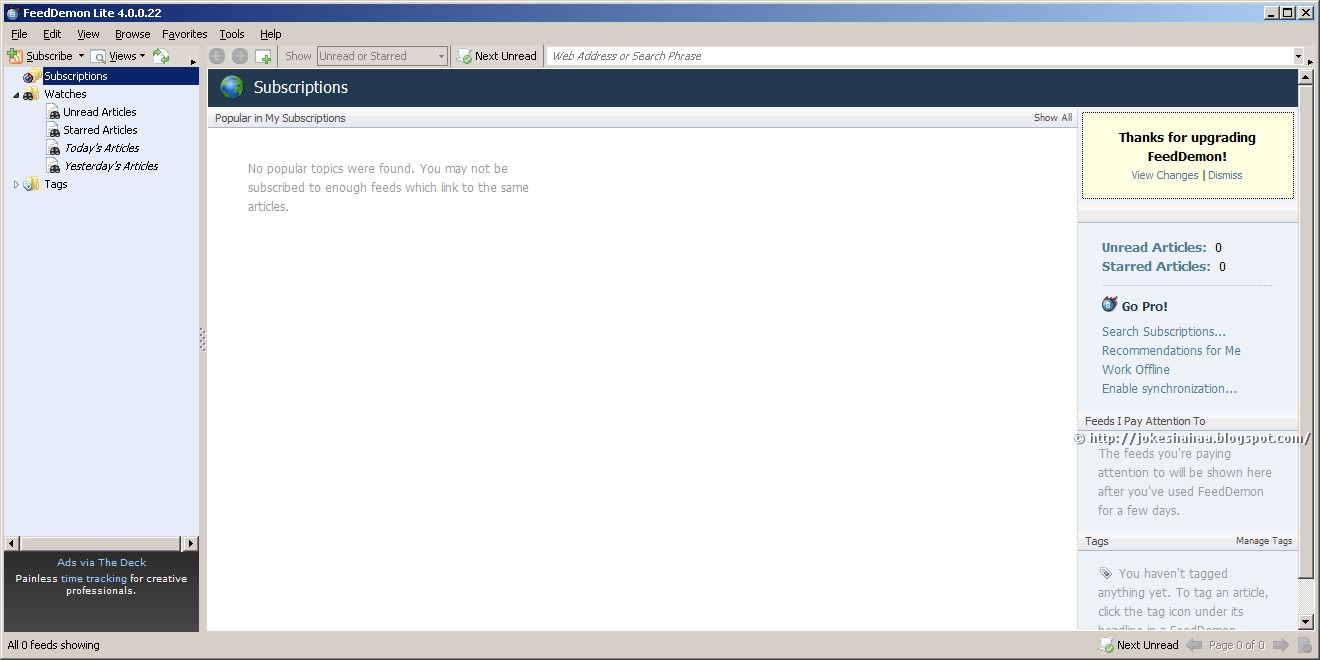
FeedDemon is the most popular RSS reader for Windows, with an easy-to-use interface that makes it a snap to stay informed with the latest news and information.
Google Reader Synchronization
Use FeedDemon at home, your office, or anywhere you go and keep your feeds, tags and shared items synched between locations.
Sharing
FeedDemon's simple single-click sharing lets your friends subscribe to your favorite articles.
Tagging
Assign your own keywords to items, making it easy to classify and locate articles you've previously read.
Watches
Tell FeedDemon to let you know when your keywords appear in any feed you're subscribed to.
Search Feeds
Get alerted when your keywords appear in any feed, regardless of whether you're subscribed to it.
Podcasts
Let FeedDemon automatically download audio files and copy them to your iPod or other media device.

FeedDemon


 Keywords: Feed Software, Feed Reader, Download, Downloads, Freeware Software, Free Software,RSS Reader.

Tuesday, March 20, 2012

Comodo Firewall


Comodo Firewall is your first step in keeping hackers, viruses, and malware out of your PC.
Featuring Default Deny Protection™, our Firewall checks an extensive list of over two million known PC-friendly applications. If it's not there, Comodo Firewall lets you know before opening your PC's door.
Firewall Features:
  • Keeps you updated on all suspicious files
  • Prevention-based technology stops viruses
  • Default Deny Protection™ so only safe files execute
  • Easily learns your PC habits for personalized alerts
  • Automatic updates for the most current protection
  • Winner of PCMag.com's Editor's Choice Award


Comodo Firewall Summary

Comodo Firewall

Comodo Firewall Defense

Comodo Firewall More


Keywords: Best Firewall,CIS,HIPS, Security Software, Firewall, Personal Firewall, Free Software, Freeware Software, Download, Downloads, Antimalware, Antivirus, Antivirus Software, Anti Hacking.